

Purpose
The purpose of this quick reference guide is to step through the process of creating Breakpoints and Pay Code Caps using the Interpretation Rule Builder page. The intended audience for this document are system administrators / standard users.Steps
Create Breakpoints and Pay Code Caps
Interpretation Rules are used to convert Timesheet Entries into Pay Transactions for payment of wages to Payees, taking into account various calculations for the amount of time worked. Interpretation Rules are created using the Interpretation Rule Builder, which consists of a series of dynamic fields that differ based on the record type selected. These fields are broken into several sections, some of which are optional, to allow for the interpretation of various Award types. See below for an ordered list of the QRGs related to each section of the Interpretation Rule Builder page for Hourly Rate, Shift End Time or Shift Start Time record types:- Create Hourly Rate Interpretation Rules OR Create Shift-Based Interpretation Rules
- Create Break Loading and Minimum Rest Rules (optional)
- Create Split/Broken Shift and Sleepover Rules (optional)
- Create Allowance, Leave & Allowance Junction Rule Breakpoints (optional)
- Create Breakpoints and Pay Code Caps
- Complete the required fields and populate Breakpoints within the Interpretation Rule Builder according to the instructions provided in the Populate Hourly Rate Breakpoints QRG or Populate Shift Time Breakpoints QRG.
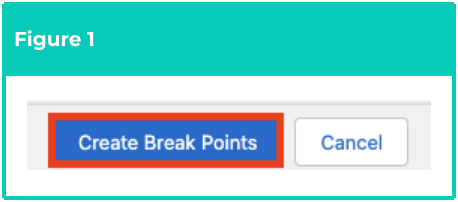
- Click on the Create Break Points button within the Interpretation Rule Builder page(see Figure 1).
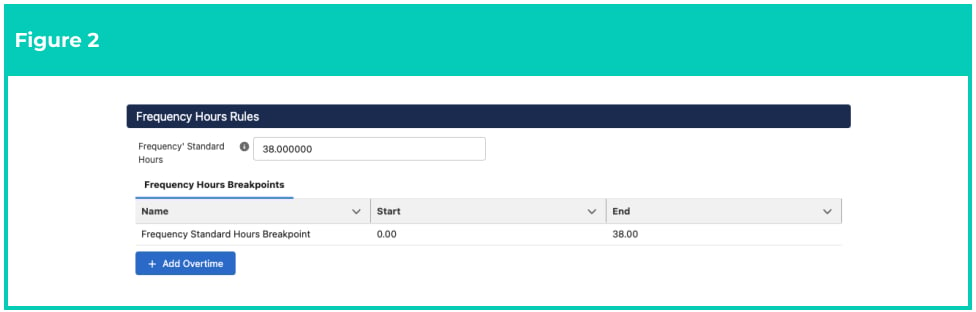
- Identify the Frequency Hours Rules section within the Interpretation Rule Builder (see Figure 2).
-
Follow this step in the sequence given below:
- Populate the following required fields to provide the Overtime Frequency Breakpoint
Rules for the Interpretation Rule (see Figure 3):
- Click on the + Add Overtime button
- To define the amount of hours that should be associated with the first Overtime Rate, populate the End field with a figure value.
- To determine the Pay Code that should be applied for the first Overtime Rate, populate the Pay Code field using the lookup options available.
-
To determine the Pay Code that should be applied for this Overtime Rate during
Public Holidays and Weekends, populate the following fields using the lookup
options available:
- Public Holiday Pay Code
- Saturday Pay Code
- Sunday
- To add another Overtime Pay Rate, click on the + Add Breakpoint button and a new Breakpoint line will be added beneath the first.
- Populate the following required fields to provide the Overtime Frequency Breakpoint
Rules for the Interpretation Rule (see Figure 3):
- Repeat Step 4. until Overtime Pay Rates have been detailed for the total amount of hours in the Timesheet Period.

To remove a Breakpoint, click on the Trash Can icon next to the corresponding line.
Frequency Breakpoints must detail the total number of hours in each Timesheet
Period, as per the associated Timesheet Calendar. This includes the maximum number
of Ordinary hours an Employee can be paid within the Timesheet Period, as well as the
subsequent Overtime Pay Codes once the maximum for Ordinary hours is reached.
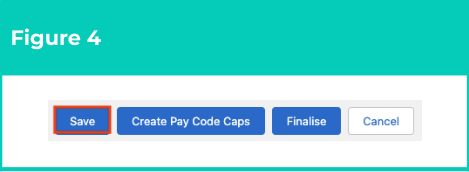
- Click on the Save button to validate the Frequency Hours Breakpoints created (see Figure 4)
- Click on the Create Pay Code Caps button (see Figure 5).

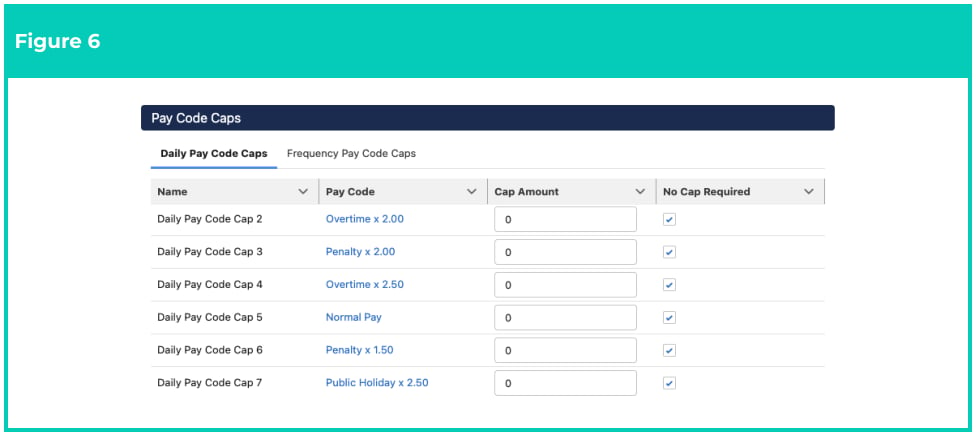
- Identify the Pay Code Caps section within the Interpretation Rule Builder (see Figure 6).
- Follow this step in the sequence given below:
- Populate the following required fields to provide the Daily Pay Code Caps for the
Interpretation Rule (see Figure 7):
-
To determine whether any caps should be applied to the Pay Codes defined in
the Interpretation Rule’s Daily Breakpoints, click to select the Daily Pay Code
Caps tab.
- To define the amount of hours that Pay Codes should be capped each day, populate the Cap Amount field with a value amount and click to unselect the No Cap Required checkbox.
- To determine that a Daily Cap Amount is not required for Pay Codes, do not populate the Cap Amount field and leave the No Cap Required checkbox selected.
-
To determine whether any caps should be applied to the Pay Codes defined in
the Interpretation Rule’s Daily Breakpoints, click to select the Daily Pay Code
Caps tab.
- Populate the following required fields to provide the Daily Pay Code Caps for the
Interpretation Rule (see Figure 7):

- Populate the following required fields to provide the Daily Pay Code Caps for the
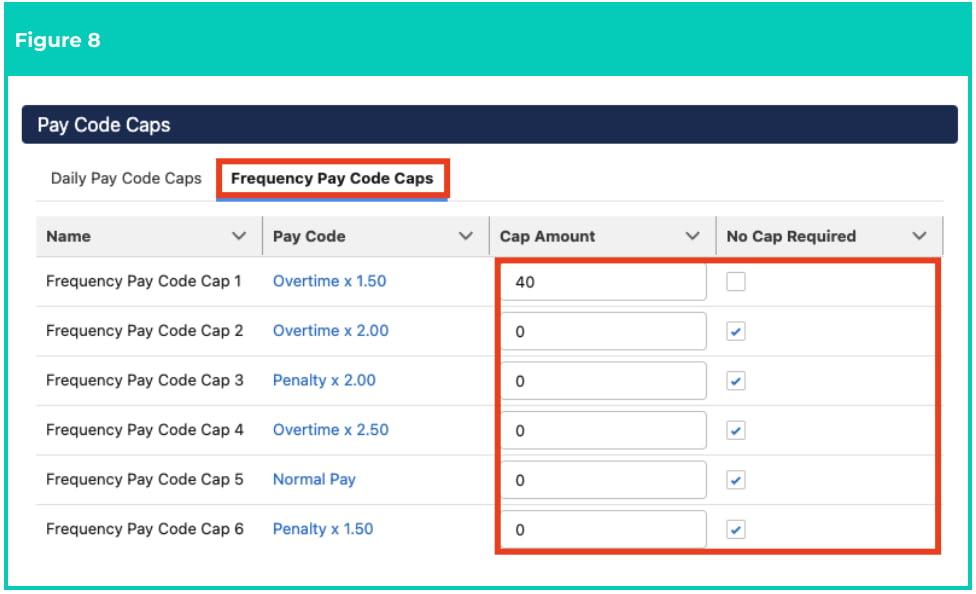
Interpretation Rule (see Figure 8):
-
To determine whether any caps should be applied to the Pay Codes defined in the Interpretation Rule’s Frequency Breakpoints, click on the Frequency Pay Code Caps tab.
- To define the amount of hours that Pay Codes should be capped within each Timesheet Period, populate the Cap Amount field with a value amount and click to unselect the No Cap Required checkbox.
- To determine that a Frequency Cap Amount is not required for Pay Codes, do not populate the Cap Amount field and leave the No Cap Required checkbox selected.
-
To determine whether any caps should be applied to the Pay Codes defined in the Interpretation Rule’s Frequency Breakpoints, click on the Frequency Pay Code Caps tab.
- Repeat Steps 3 - 4 for all required Pay Code Caps.
- Click on the Save button to validate the

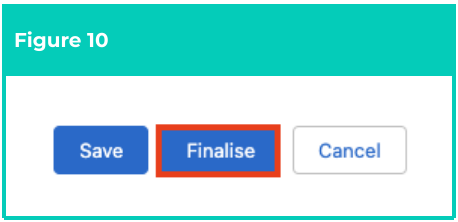
- Review and confirm the details of the Interpretation Rule, then click on the Finalise button to complete record creation (see Figure 10).
- A new Interpretation Rule has been created (see Figure 11).

Once an Interpretation Rule has been Finalised and related to another record, it is not recommended to modify further, but instead to facilitate any changes required by creating a new Interpretation Rule.
Interpretation Rules CANNOT be deleted if they have related records or are used in
other records. Deleting records is not recommended unless absolutely essential.
- To modify an existing Interpretation Rule, open the required record and select the Launch button to open the Builder page, then select the Unfinalise button available at the bottom of the record.
- When complete, click on the Finalise button.
If changes are made to Pay Codes or Breakpoints in an existing Interpretation Rule,
Pay Code Caps MUST be re-populated, as the previous Pay Code Caps will no longer
apply and will be removed.