

Purpose
The purpose of this quick reference guide is to step through the process of using the Leave Forecast tool as a Payee set up as a Community User within the Community. The intended audience for this document are Payees.Steps
Leave Forecasting Tool
Payee Leave Forecasting may be accessed by Payees within the Employee Portal as a standard Community User. The values displayed reflect the forecasted Leave Balances for the entered period, based on the Payee’s entitlements. Forecast Leave as a Payee Community User by following the below steps:- From within the Community Portal click the Leave Requests tab (see Figure 1).
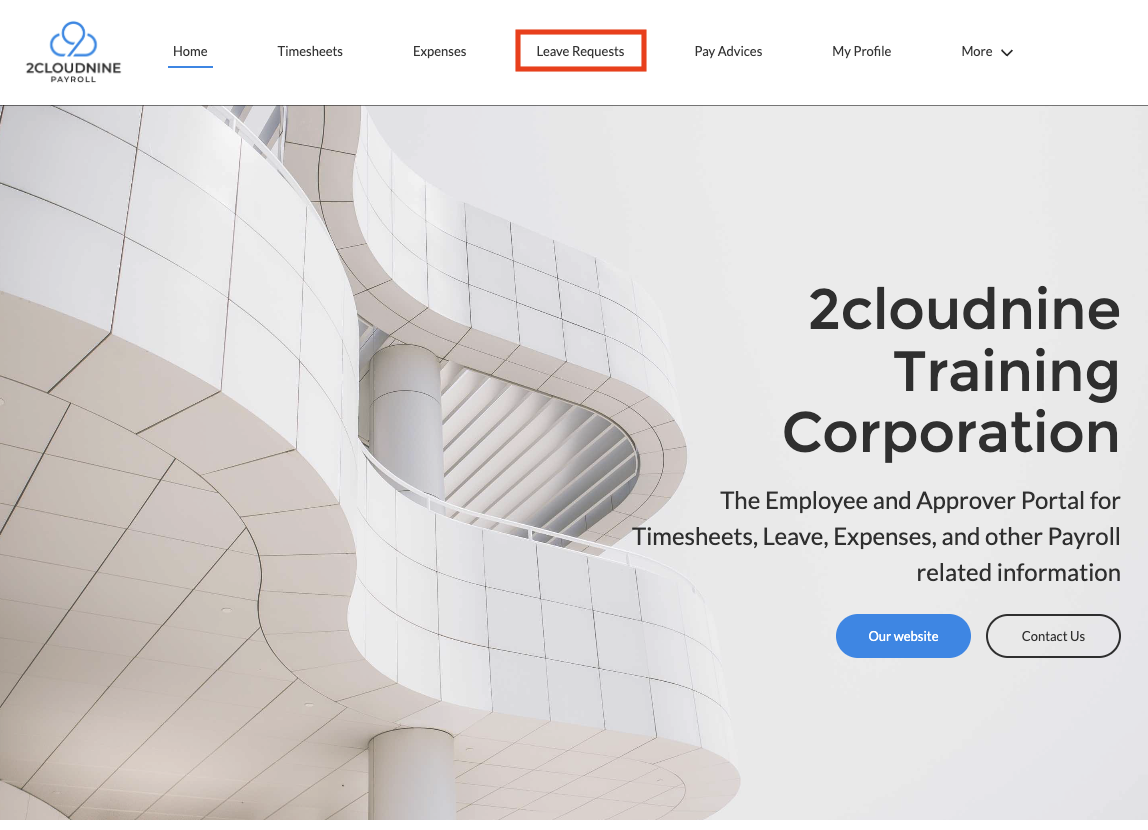
Important Notes(Payee Leave)The exact naming convention for Leave will differ from one Org to another (based on the specific customisations applied) however should still be available for selection from the Community menu banner as indicated in the above screenshot.If the Leave tab is not displayed within the menu banner, click the More button to select from the additional navigation options available.
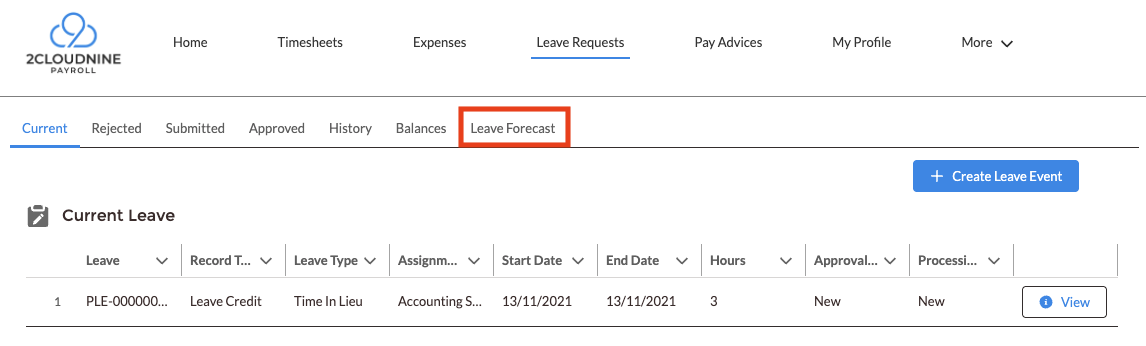
- Click the Leave Forecast menu option from the Leave navigation banner (see Figure 2).
- Populate the following values to define the Forecast conditions (see Figure 3).
- In the Forecast To field, populate the future date for Leave Balance projections using the available date selection tool (see Figure 3).
- Under Forecast Based On, select either the Actual Hours or Average Hours button.
- If Average Hours is selected, populate the Average Period (weeks) field with the number of weeks to use to calculate the Leave forecast.
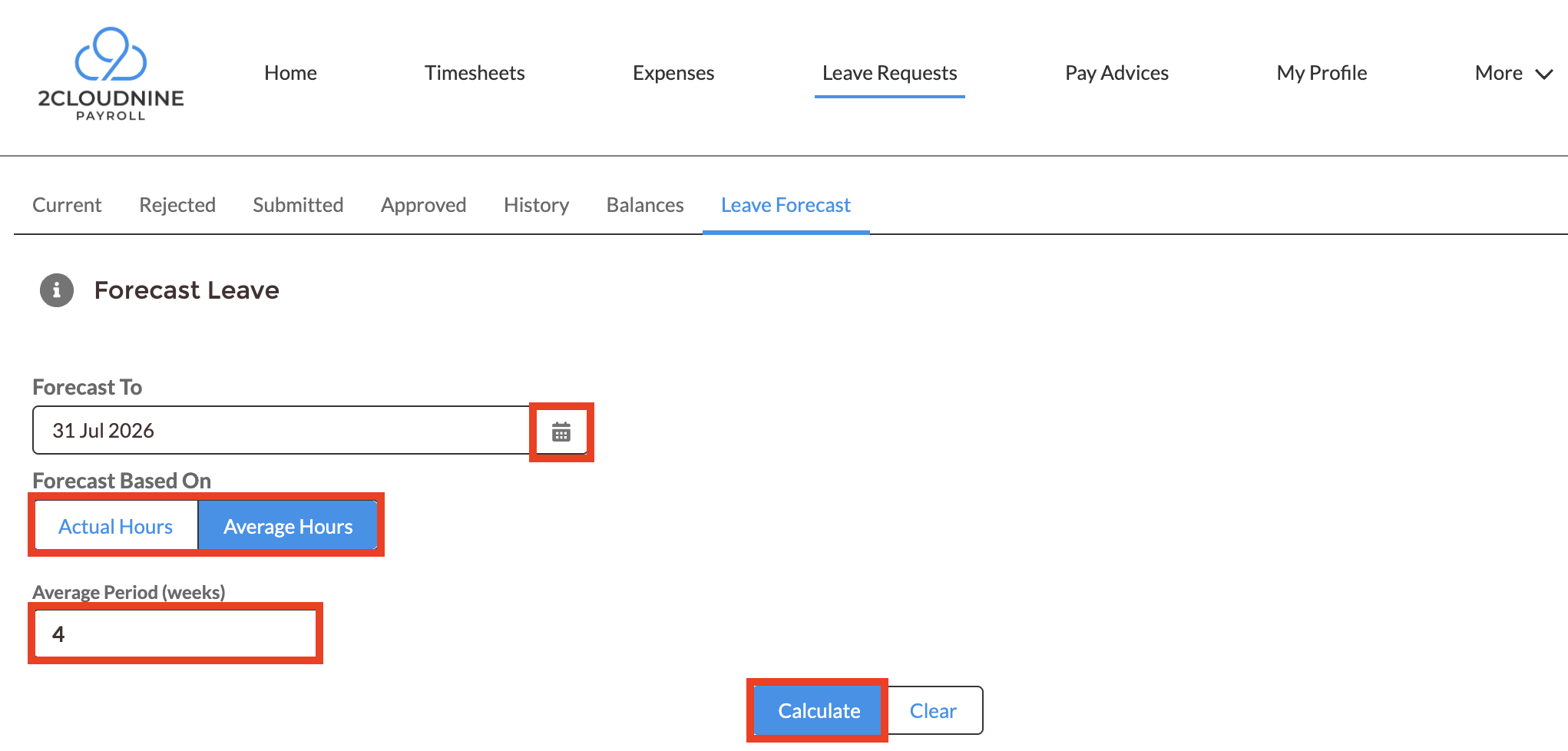
Important Notes(Average Period)If Average Hours is selected as the Forecasting method, but no Average Period is entered, Leave Balance will be calculated against a four week period by default.
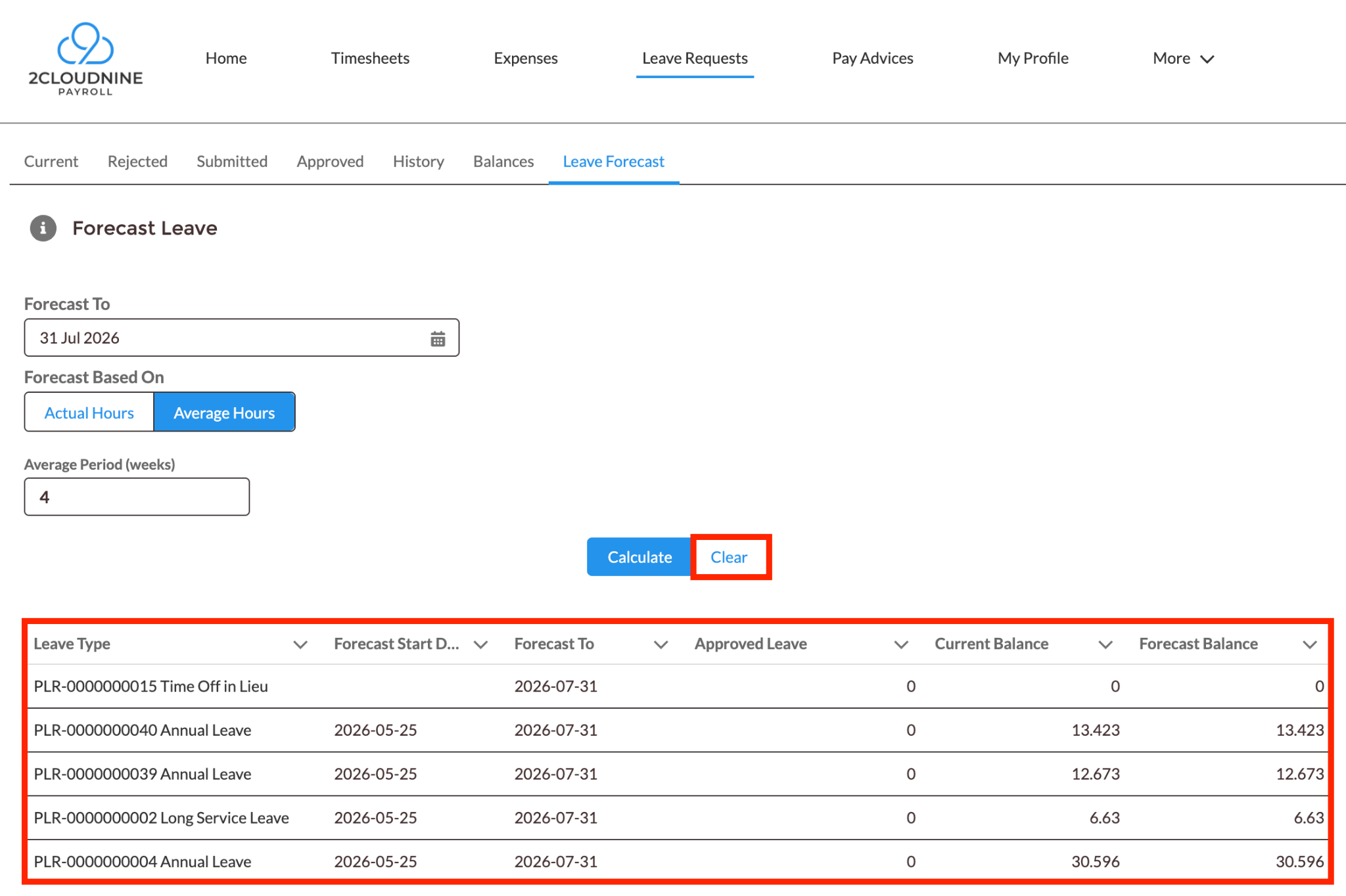
- Click Calculate (see Figure 4).
- The projected balance is displayed under the Forecast Balance column heading.
- To modify the Forecast To date, or the basis of hours for the calculation, click the Clear button to reset the input values.
Field Descriptions
Further Information
- First Published: 05 October, 2026
- Last Published: 05 October, 2026