

Purpose
The purpose of this quick reference guide is to step through the process of creating and managing Assignment Schedules as a means of relating a Published Work Schedule to an Assignment. The intended audience for this document are Standard Payroll Users.Steps
Create Assignment Schedules
Assignment Schedules form the relationship between a Published Work Schedule record and the Assignment record.- The creation of a new Assignment Schedule can be initiated from 3 different locations:
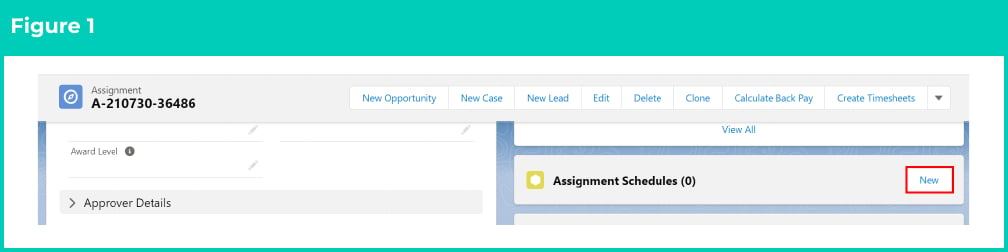
- Go to App Launcher > Assignment. Within the Assignment record, click the New button under the Assignment Schedule related list (see Figure 1). This is the recommended approach as then the details of the Assignment will also default on it.
OR
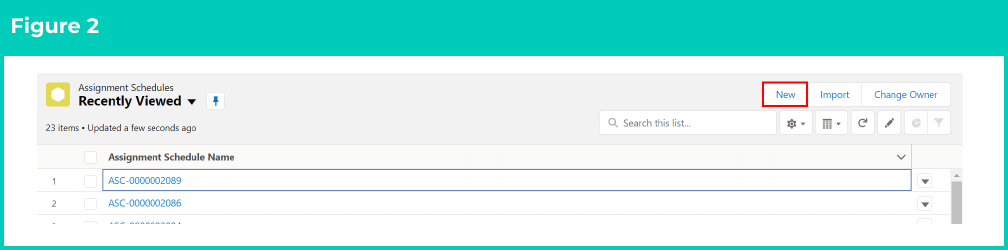
- Go to App Launcher > Assignment Schedules. Click on the New button on the Assignment Schedule list view (see Figure 2).
OR
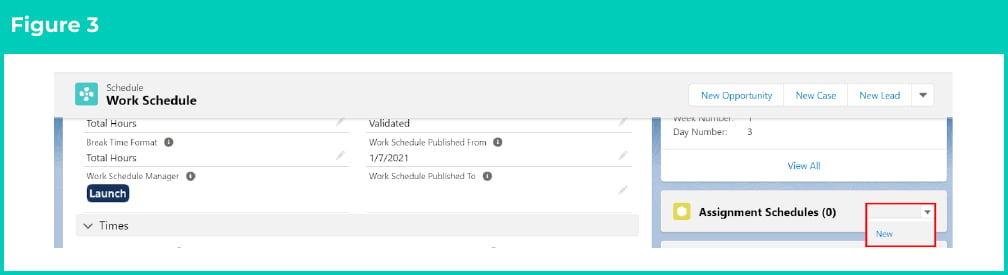
- Go to App Launcher > Work Schedule. Within the Work Schedule record, click the New button under the Assignment Schedule related list (see Figure 3).
- Go to App Launcher > Assignment. Within the Assignment record, click the New button under the Assignment Schedule related list (see Figure 1). This is the recommended approach as then the details of the Assignment will also default on it.
- In all of these locations, once the New button is clicked, a new Assignment Schedule record will open ready to be populated with the necessary details.
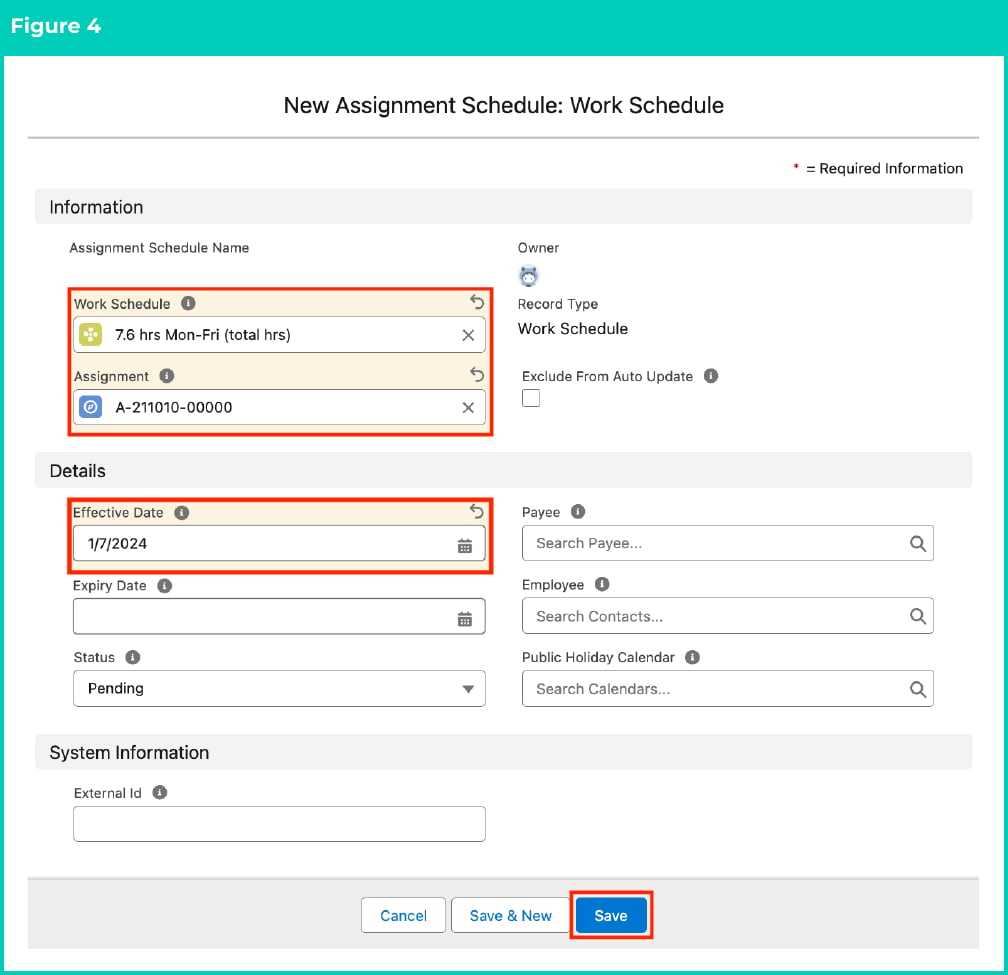
- Populate the following required fields: (see Figure 4)
- Work Schedule
- Assignment record
- Effective Date
- To add an expiry date to the record, populate the optional field Expiry Date (see Figure 4).
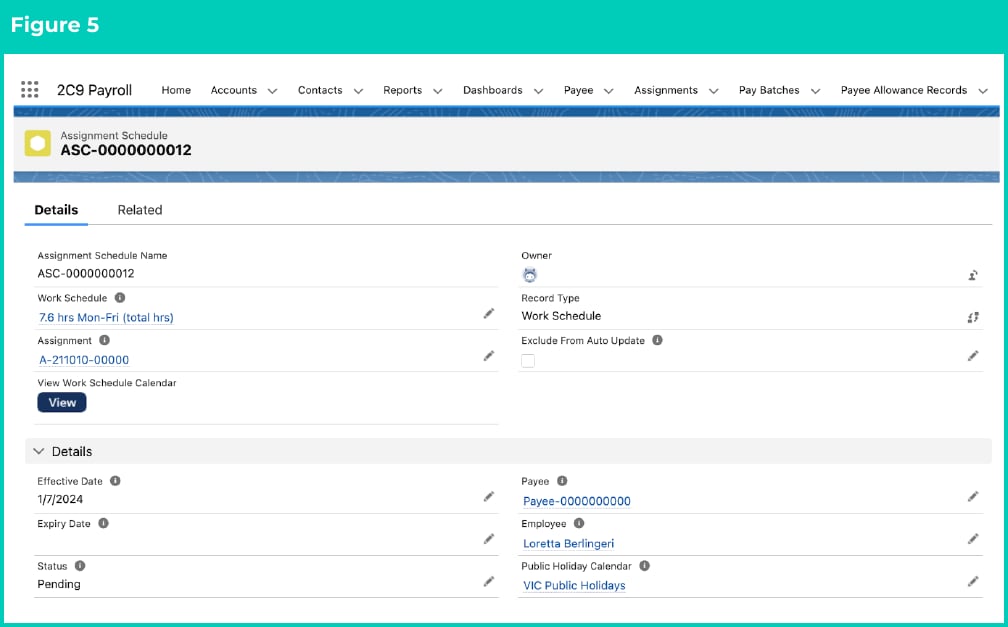
- The following 3 fields can be left blank to auto-populate upon saving the record, based on the values in the associated Assignment, or alternatively Users can manually populate them: (see Figure 5)
- To assign this Work Schedule record to a specific Payee, populate the Payee field.
- To assign this Work Schedule record to a specific Employee, populate the Employee field.
- To allocate a Public Holiday Calendar to this Work Schedule record which will be used to calculate payment on public holidays, populate the Public Holiday Calendar field.
- Click on the Save button.
- A new Assignment Schedule record is now created. (See Figure 5)
Assignment Schedule records CAN NOT be deleted if they have related records or are used in other records. Deleting records is not recommended unless absolutely essential.
- To modify an existing Assignment Schedule record, open the required record and select the Edit button available on the top right side of the page. You can also double-click in any of the fields that need editing or just click on the pencil icon that appears within fields when you move your cursor over the field.
- When complete, click on the Save button.