

Purpose
The purpose of this quick reference guide is to step through the process of creating Employment Cost Template Groups. The Employment Cost Template Group is used to define a group of Employment Cost records to be related to an Assignment. The intended audience for this document is System Administrators / Standard Users. We recommend creating 4 Employment Cost Template Groups to cover each potential scenario of Employment Cost requirement:- Payroll Tax and Workcover
- Payroll Tax Only
- Workcover Only
- No Oncosts
Steps
Create an Employment Cost Template Group
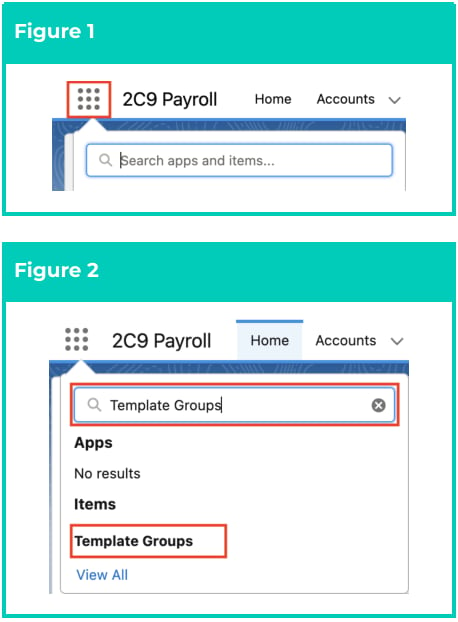
To create an Employment Cost Template Group, follow the steps below:- Click on the App Launcher icon. (See Figure 1)
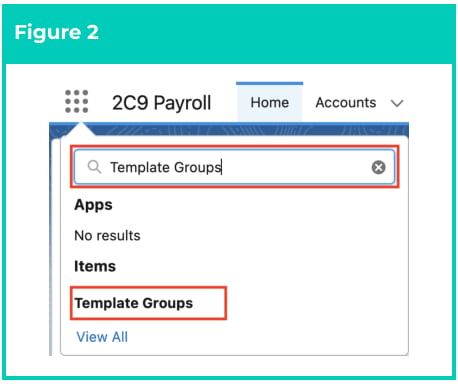
- Go to the Template Groups object by using the Search function. (See Figure 2)
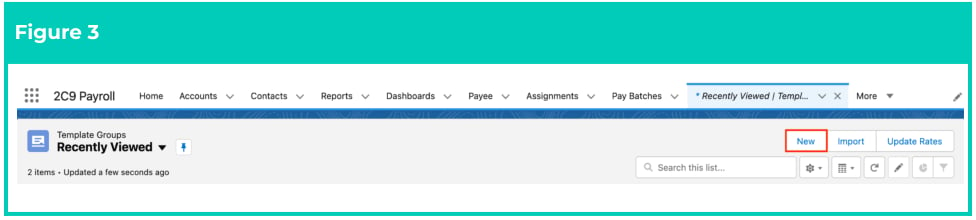
- Click the New button. (See Figure 3)
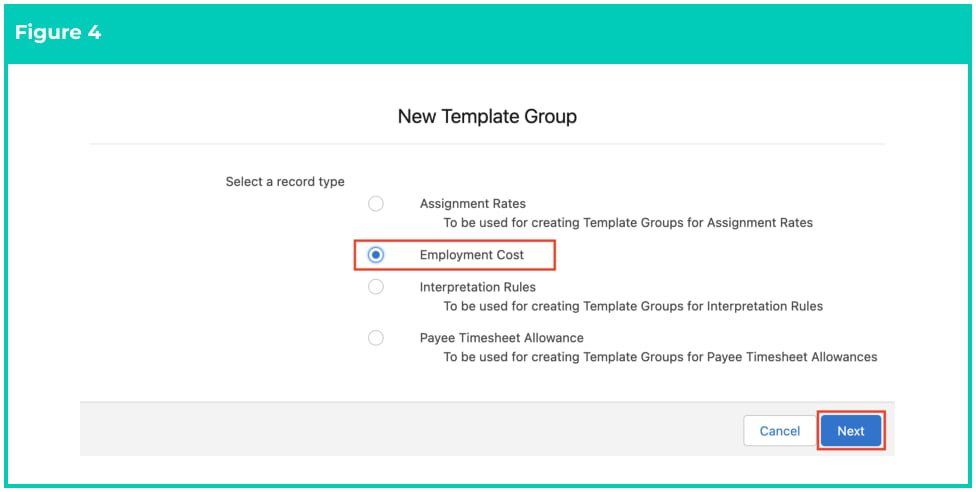
- Select Employment Cost from the available record types and click the Next button. (See Figure 4)
- Populate the following required fields to provide the base details of the Employment Cost Template Group (see Figure 5):
- Template Group Name
- Populate the following optional field as required:
- To configure the Template Group so it is only available for a specific Client, populate the Client field.
- Click the Save button (see Figure 5).

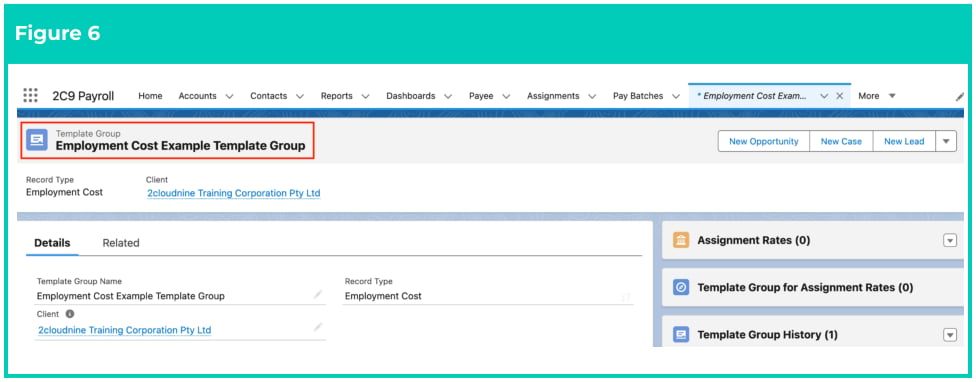
- A new Employment Cost Template Group is now created (see Figure 6).
Add Assignment Cost records to the Template Group
To add records to this Employment Cost Template Group, follow the steps below:- Go to the Related tab. (See Figure 7)

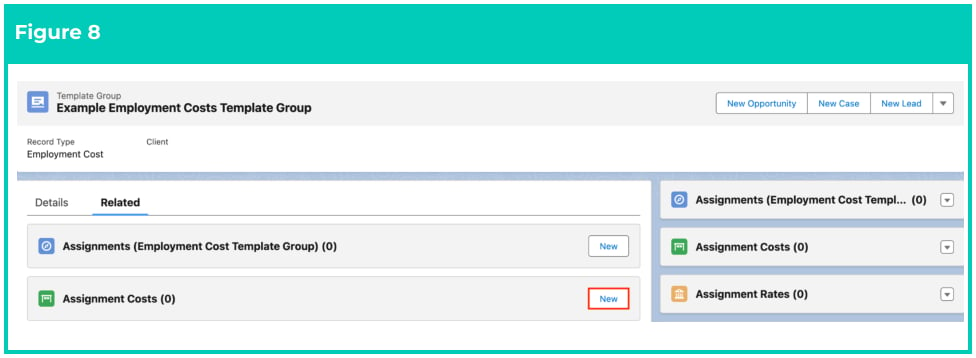
- Click on the New button on the Assignment Costs related list. (See Figure 8)
- Select the Employment Cost Template Record Type. (See Figure 9)
- Click Next .

- Populate the following required fields to provide the base details of the Employment Cost record (see Figure 10):
- Effective Date
- Employment Cost
- To add an expiry date to the Employment Cost, populate the optional field Expiry Date .
- Click on the Save button.

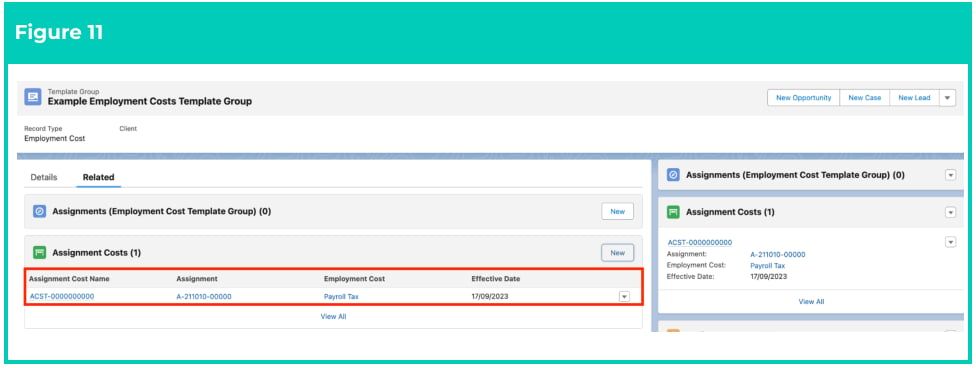
- Click on the record that appears under the Assignment Costs heading. (See Figure 11)
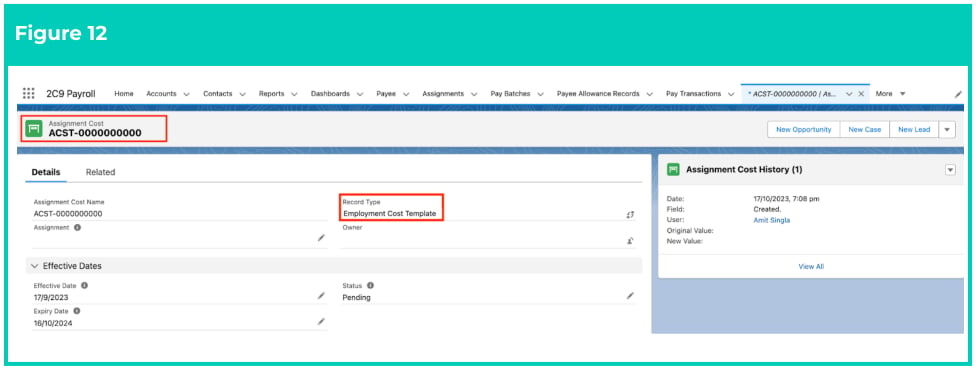
- A new Assignment Cost record is now created. (See Figure 12)
- Repeat this process to add all required Assignment Cost records to the Employment Cost Template Group.
Employment Cost Template Groups records CAN NOT be deleted if they have related records or are used in other records. Deleting records is not recommended unless absolutely essential.
- To modify an existing Assignment Cost record, open the required record and select the Edit button available on the top right side of the page. You can also double click within fields that need editing or just click on the pencil icon that appears within fields when hovering with your cursor.
- When complete, click on the Save button.
Any changes made to the Employment Cost Template Group or its related records will not update Assignment Costs already referencing the Employment Cost Template Group.