

Purpose
The purpose of this quick reference guide is to step through the process of creating an Accounting Assignment Department record as required for General Ledger reporting purposes. The intended audience for this document are System Administrators / Standard Users.Steps
Manual Creation of an Accounting Assignment Department
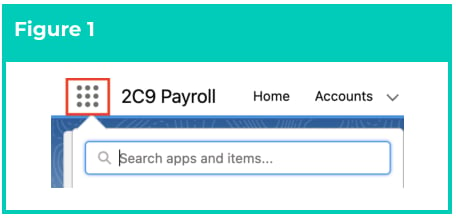
Accounting Assignment Departments are related to the Assignment. They allow for the creation of multiple Department split records against an Assignment that can be used to split Accounting Invoices, Cost of Payroll Journals and Leave Accrual Journals by Department. To create an Accounting Assignment Department, the following steps should be completed:- Click on the App Launcher icon. (See Figure 1)
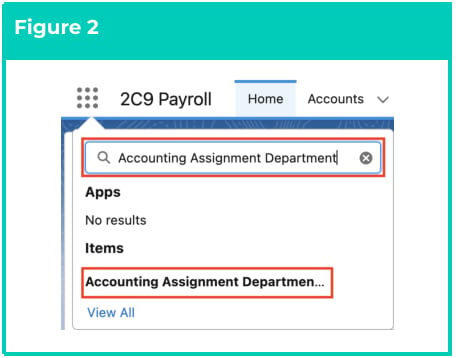
- Go to the Accounting Assignment Department object by using the Search function. (See Figure 2)
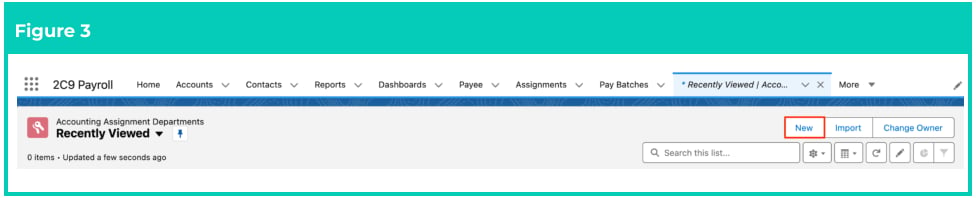
- Click on the New button. (See Figure 3)
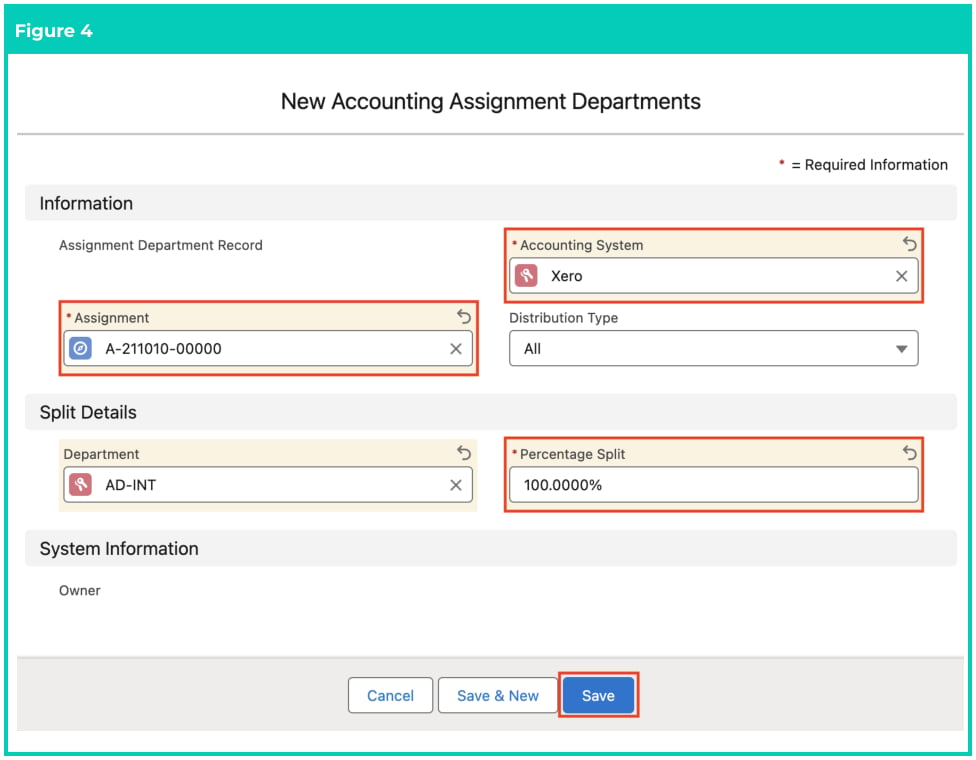
- Populate the following required fields to provide the base details of the Accounting Assignment
Department record (see Figure 4):
- Assignment
- Accounting System
- Percentage Split
- Department
- The Distribution Type field will be populated by default (see Figure 4).
- Click on the Save button.
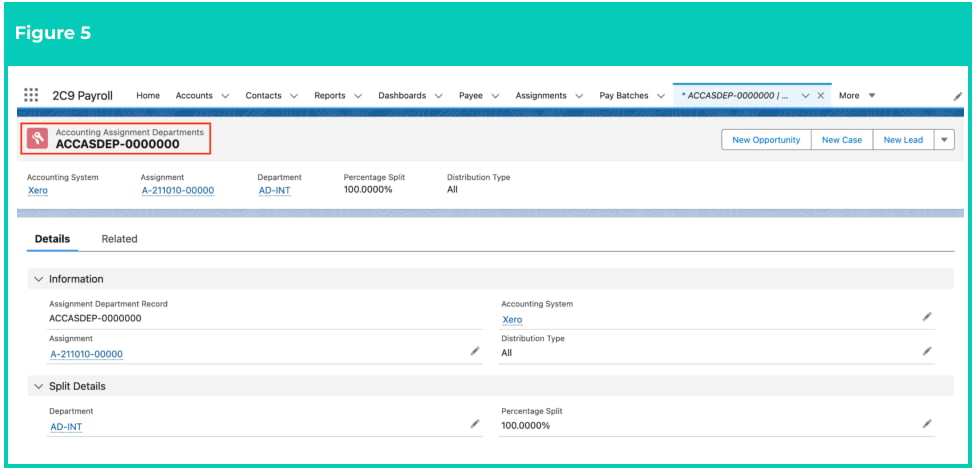
- A new Accounting Assignment Department is now created (see Figure 5).
Accounting Assignment Department records CAN NOT be deleted if they have related
records or are used in other records. Deleting records is not recommended unless
absolutely essential.
- To modify an existing Accounting Assignment Department, select the required record and select the Edit button available on the top right side of the page. You can also double click within fields that need editing or just click on the pencil icon that appears within fields when hovering with your cursor.
- When complete, click on the Save button.