

Purpose
The purpose of this quick reference guide is to step through the process of creating Employer ID Junction Superannuation Fund records. The intended audience for this document is System Administrators and Payroll Users. The Employer ID Junction record is used to record different Employer IDs for different Payment Entities against the same Superannuation Fund and will be referenced in your 2cloudnine SuperStream lodgements.Steps
Create an Employer ID Superannuation Fund record
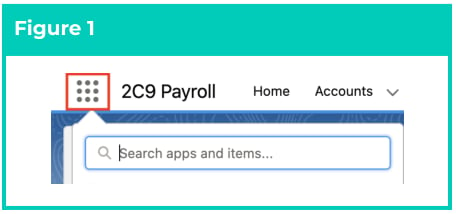
To create an Employer ID Junction Superannuation Fund record, follow the steps below:- Click on the App Launcher icon (see Figure 1).
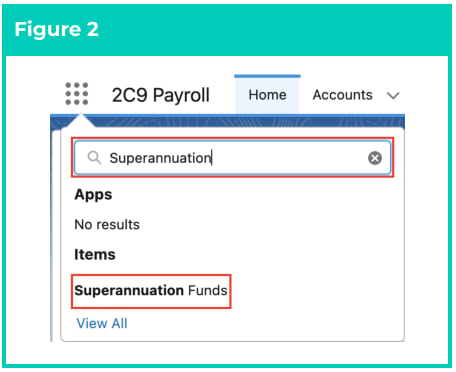
- Go to the Superannuation Funds object by using the Search function (see Figure 2).
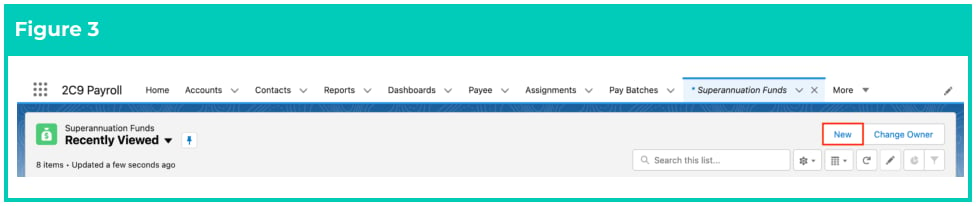
- Click on the New button (see Figure 3).
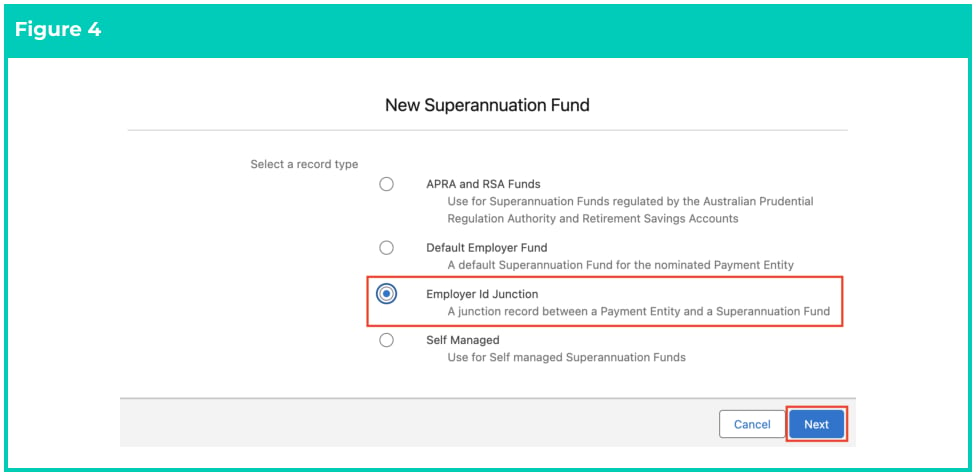
- Choose the record type of Employer Id Junction (see Figure 4).
- Click Next.
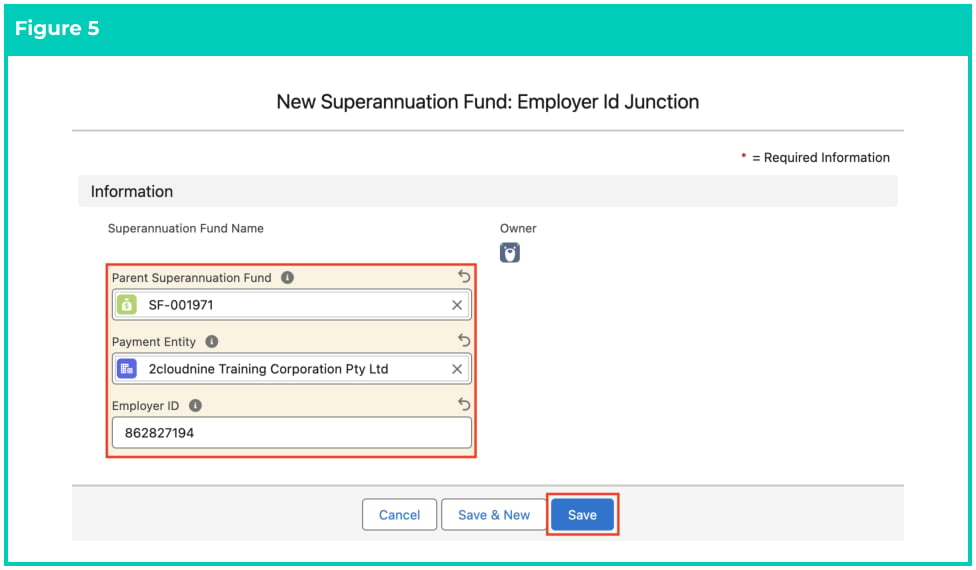
- Populate the following required fields of the Employer ID Junction record: (see Figure 5)
- Parent Superannuation Fund
- Payment Entity
- Employer ID
- Click on the Save button.
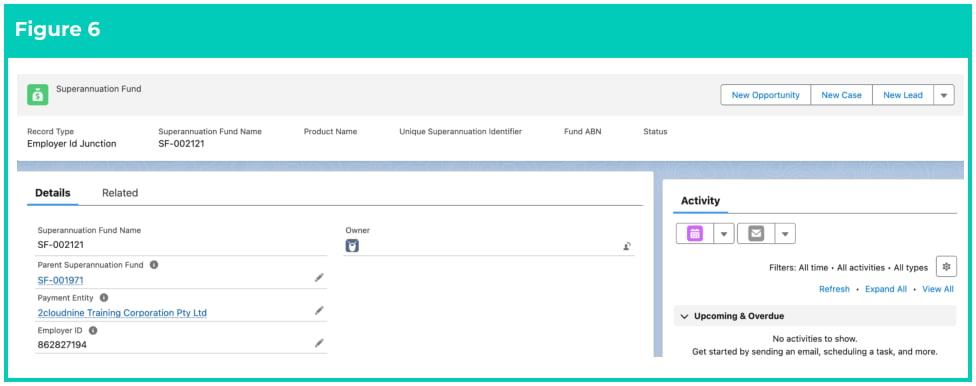
- A new Employer Id Junction Superannuation Fund record has been created (see Figure 6).
- To modify an existing Employer ID Junction record, open the required record and select the Edit button available on the top right side of the page. You can also double click in any of the fields that need editing, or just click on the pencil icon that appears within fields when you move your cursor over the field.
- When complete, click on the Save button.
Superannuation Fund records CANNOT be deleted if they have related records or are used in other
records. Deleting records is not recommended unless absolutely essential.