

Purpose
The purpose of this quick reference guide is to step through the process of creating Allowance Pay Codes. The intended audience for this document is System Administrators / Standard Users.Steps
Create a new Allowance Pay Code record
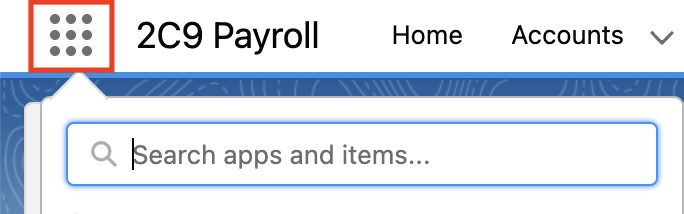
Pay Codes are applied to Pay Transactions, Payee Allowances, and Interpretation Rules processed for an Employee. The Allowance Pay Code record is used to define the Pay Codes for Allowance payments made to a Payee. The record holds General Information and Pay Code Setup details. Create a new Allowance Pay Code by following the steps below:- Click on the App Launcher icon (see Figure 1).
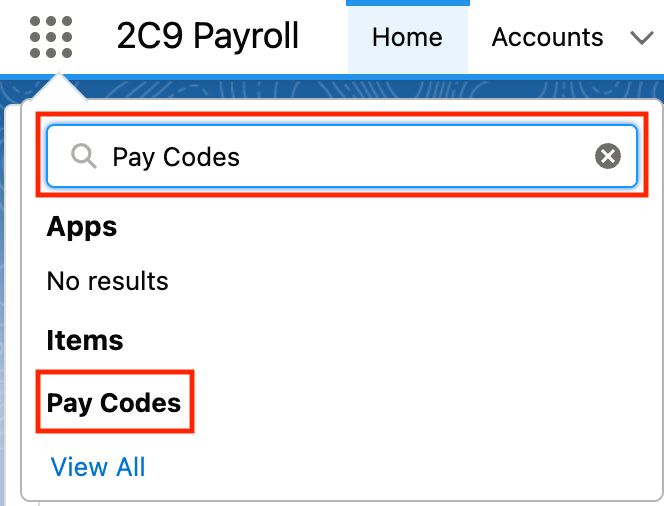
- Go to the Pay Codes object by using the Search function (see Figure 2).
- Click on the New button (see Figure 3).

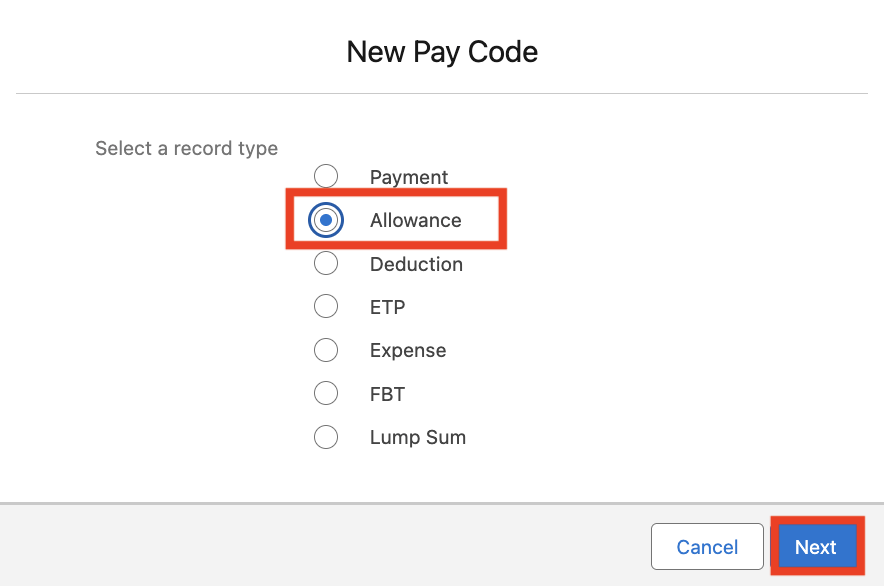
- Select the Allowance Record Type and click Next (see Figure 4).
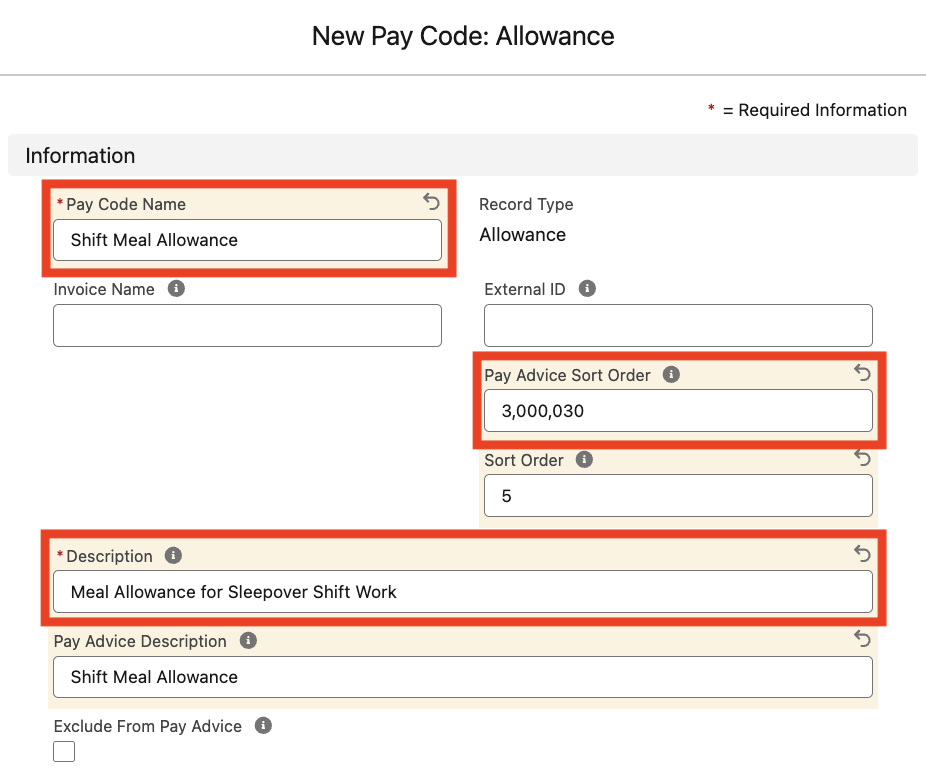
- Populate the following fields to provide base details for the Allowance Pay Code (see Figure 5):
- Populate the Pay Code Name field with a unique descriptor for the Pay Code.
- If Invoicing applies, populate the Invoice Name field with the identifier to be displayed against Invoice Lines for this Pay Code. When blank, any related Invoice PDFs will instead reference the Pay Code Name (capped to 15 characters).
- Enter a value in the Pay Advice Sort Order field to define the position of related Pay Transactions on Pay Advice PDFs.
- Enter a value in the Sort Order field to define Timesheet Manager sort order for the Pay Code.
- Briefly summarise the Pay Code’s purpose in the Description field.
- Define the name displayed on Pay Advice PDFs for Pay Transactions related to the Pay Code by populating the Pay Advice Description field.
- To exclude related Pay Transactions from Pay Advice PDFs, select the Exclude From Pay Advice checkbox field.
Pay Code InformationThe External ID field is used to reference corresponding records from external systems, and is only applicable if completing data import using the Integrated Import Tool.
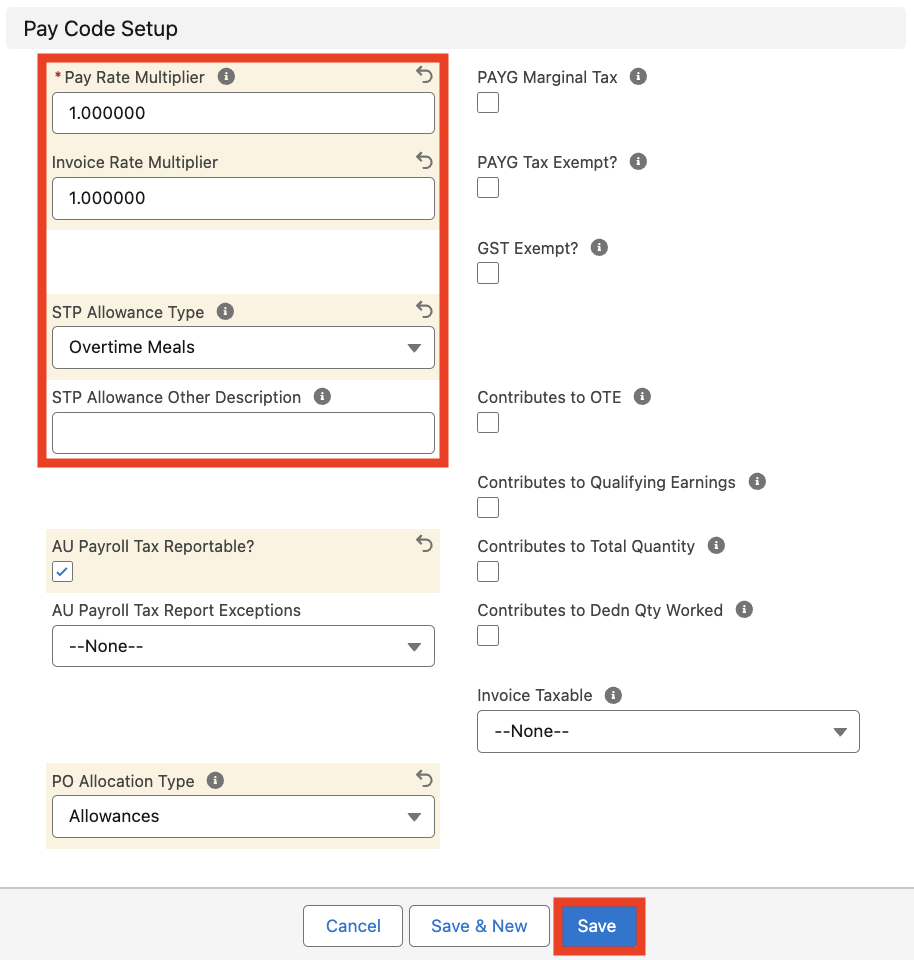
- Populate the following required fields to define the conditions for the Pay Code (see Figure 6):
- Define the Pay Rate Multiplier used to calculate related Pay Transactions by populating the Pay Rate Multiplier field.
- Define the Invoice Rate Multiplier used to create related Pay Transactions by populating the Invoice Rate Multiplier field.
- Define the Allowance Type for related Pay Transactions to reference during STP reporting by selecting from the STP Allowance Type picklist field. If Other is selected, Users must define this further by populating the STP Allowance Other Description field.
- Populate the following optional fields to define any additional conditions for the Pay Code:
- If Payroll Tax needs to be reported for related Pay Transactions, select the AU Payroll Tax Reportable? checkbox field.
- If regional Payroll Tax exemptions apply to related Pay Transactions, use the AU Payroll Tax Report Exceptions picklist field to select the appropriate value.
- If the Org is utilising Purchase Order functionality, specify the Pay Transaction and Purchase Order Record Types that may be related by selecting from the PO Allocation Type picklist field.
- To calculate Marginal Tax for related Pay Transactions, select the PAYG Marginal Tax checkbox field.
- If related Pay Transactions are exempt from PAYG taxable earnings calculations, select the PAYG Tax Exempt? checkbox field.
- If related Pay Transactions for Australian Contractors should be excluded from GST calculations, select the GST Exempt? checkbox field.
- To include related Pay Transactions in Ordinary Time Earnings calculations, select the Contributes to OTE? checkbox field.
- If related Pay Transaction amounts should contribute to Total Quantity calculations, select the Contributes to Total Quantity? checkbox field.
- If related Pay Transactions should contribute to Payee Qualifying Earnings for Payday Super, select the Contributes to Qualifying Earnings? checkbox field.
- If related Pay Transaction values should contribute to Quantity Based Deduction calculations during Pay Batch processing, select the Contributes to Dedn Qty Worked checkbox field.
- To indicate that GST must be calculated on Pay Transactions invoiced and related to this Pay Code, select Yes from the Invoice Taxable? picklist field.
- Click on the Save button.
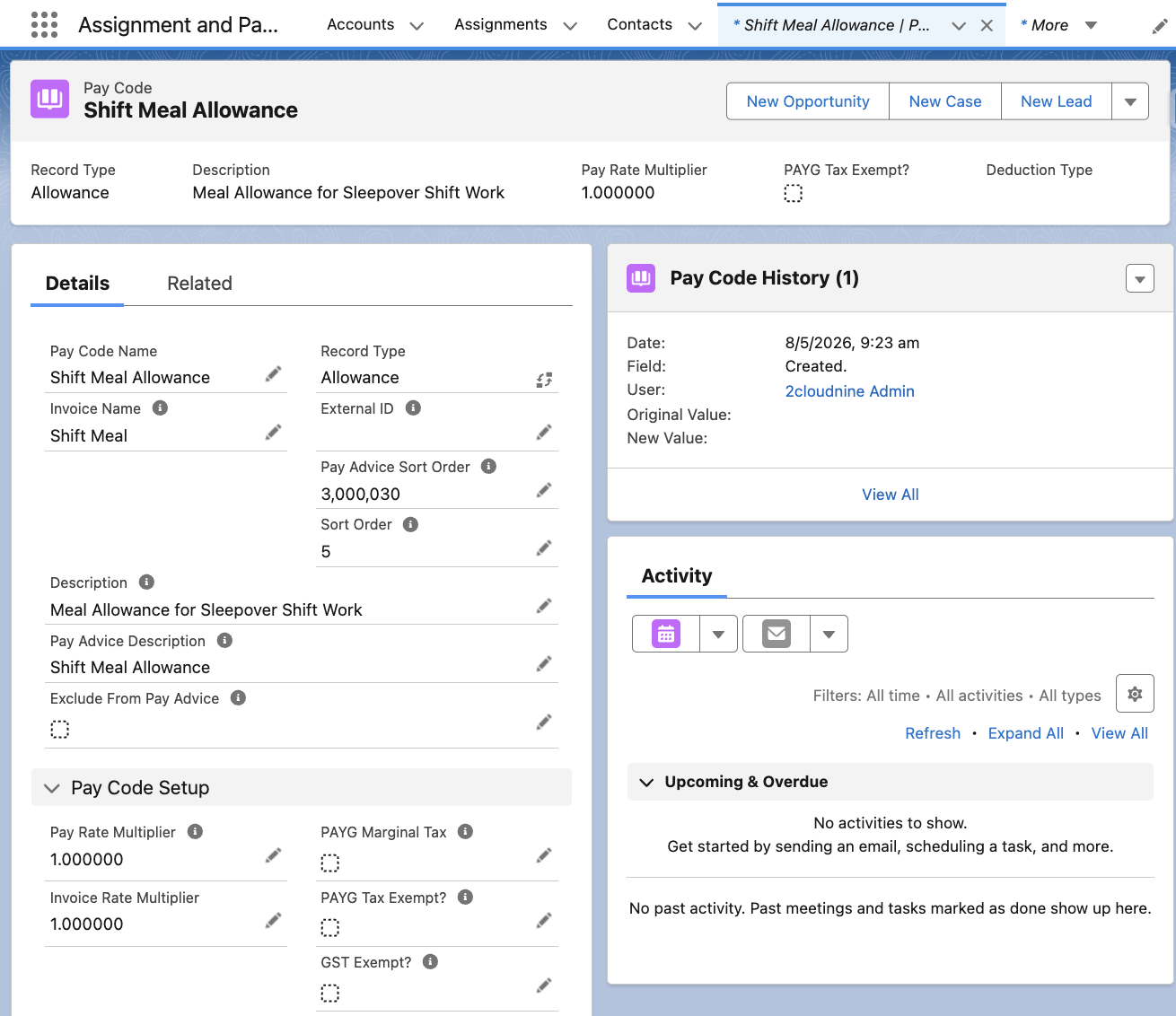
- A new Allowance Pay Code has been created (see Figure 7).
Allowance Pay Code Record ManagementAllowance Pay Codes CANNOT be deleted if they have related records or are used in other records. Deleting records is not recommended unless absolutely essential.
- To modify an existing Allowance Pay Code record, open the required record and select the Edit button available on the top right side of the page. You can also double-click in any of the fields that need editing or just click on the pencil icon that appears within fields when you move your cursor over the field.
- When complete, click on the Save button.