

Purpose
The purpose of this quick reference guide is to step through the process of creating a Payee Deduction Template. The intended audience for this document are system administrators / standard users.Steps
Create a new Payee Deduction Template
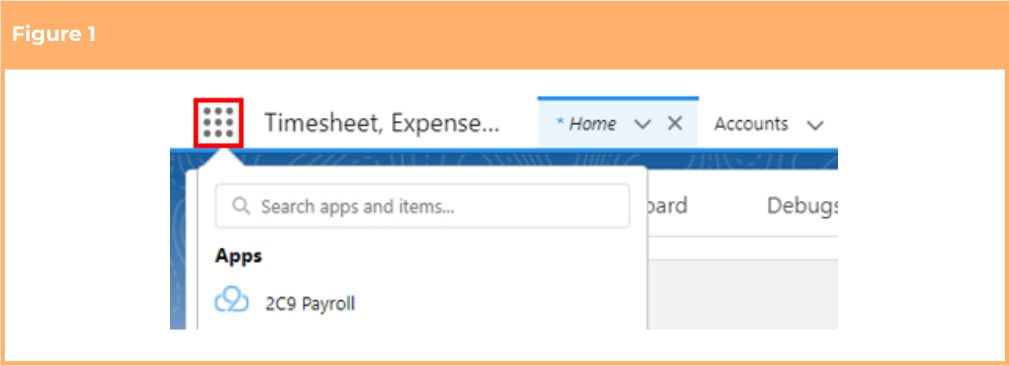
The Payee Deduction Template holds General Information, Pay Code and Rates, Quantity Worked Variations, Deduction Limits, Recipient Details and Deduction Statistics for a Payee Deduction Record. Create a Purchased Leave Payee Deduction by following the below steps:- Click on the App Launcher icon (see Figure 1).
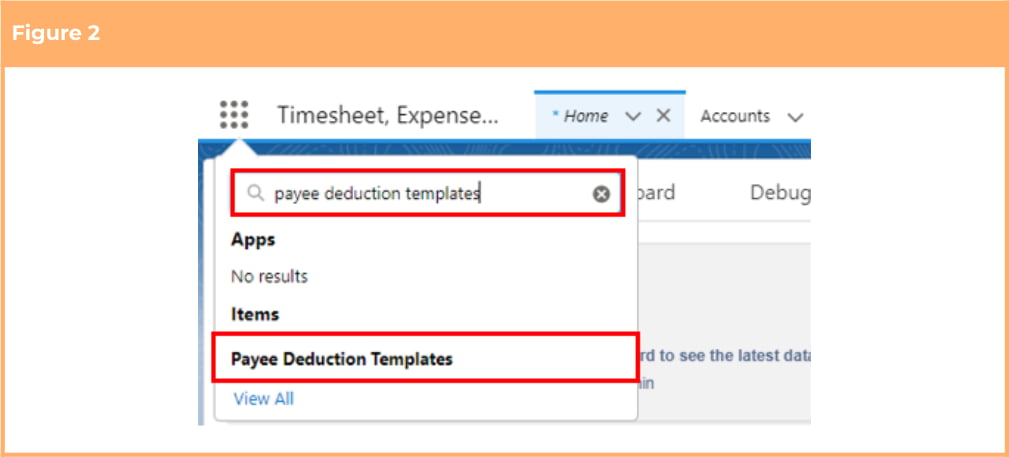
- Go to the Payee Deduction Templates object by using the Search function (see Figure 2).
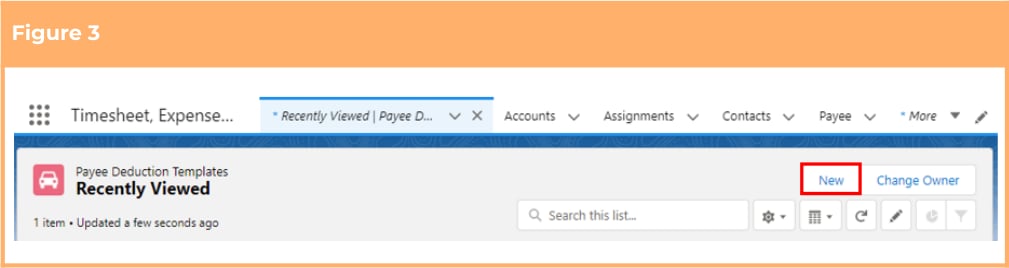
- Click the New button (see Figure 3).
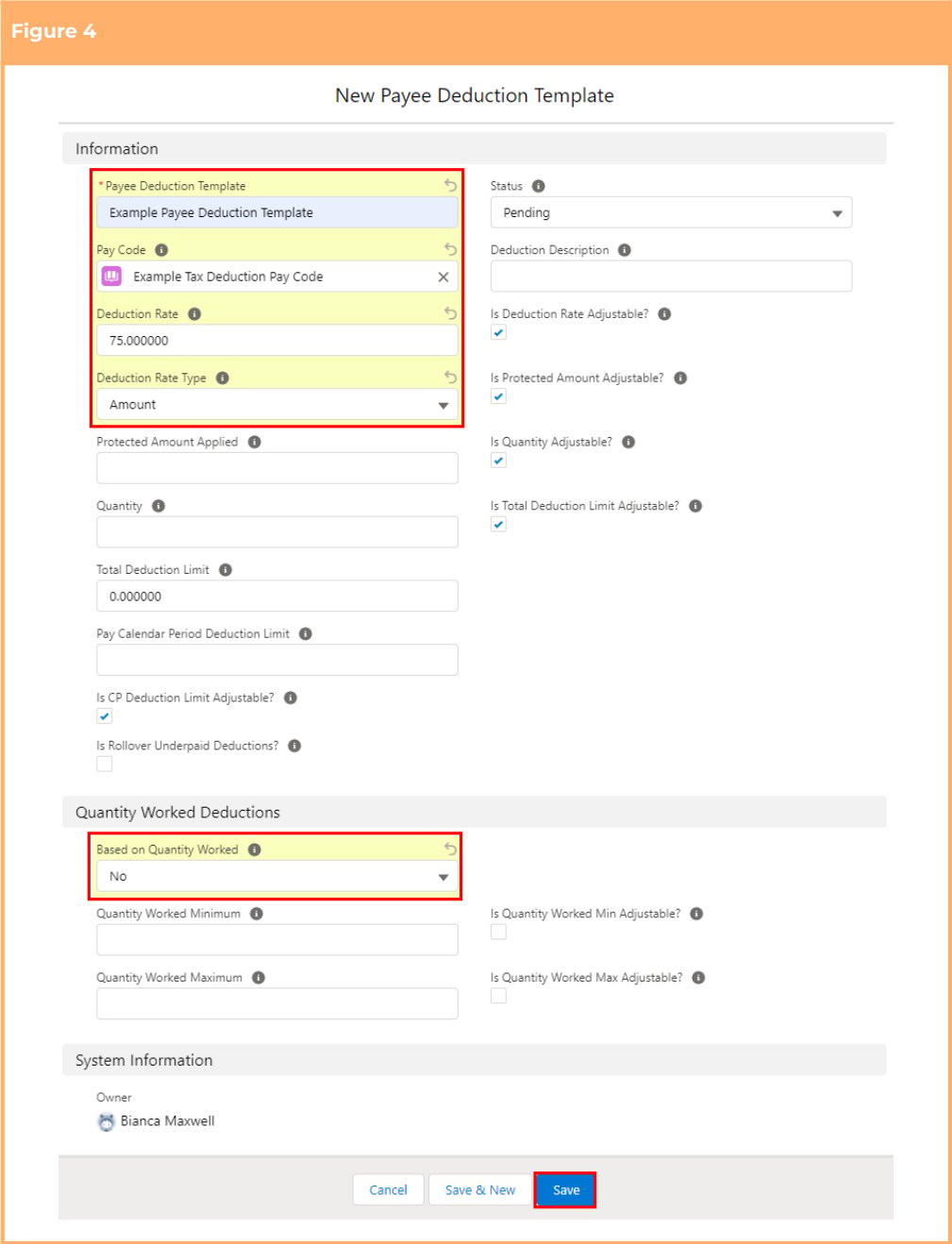
- Populate the following required fields to provide the base details of the record (see Figure 4):
- Payee Deduction Template
- Pay Code
- Deduction Rate
- Deduction Rate Type
- Based on Quantity Worked
- Populate the following optional field as required:
- To define a description for the Payee Deduction Template, populate the Deduction Description field.
- To define any required rules and limits that will be used in assessing and determining the Payee
Deduction Template, populate the following optional fields as required. If left blank the rule / limit
will not apply:
- Protected Amount Applied
- Quantity
- Total Deduction Limit
- Pay Calendar Period Deduction Limit
- Is CP Deduction Limit Adjustable
- Is Rollover Underpaid Deductions
- Quantity Worked Minimum
- Quantity Worked Maximum
- Is Quantity Worked Min Adjustable?
- Is Quantity Worked Max Adjustable?
- Click on the Save button.
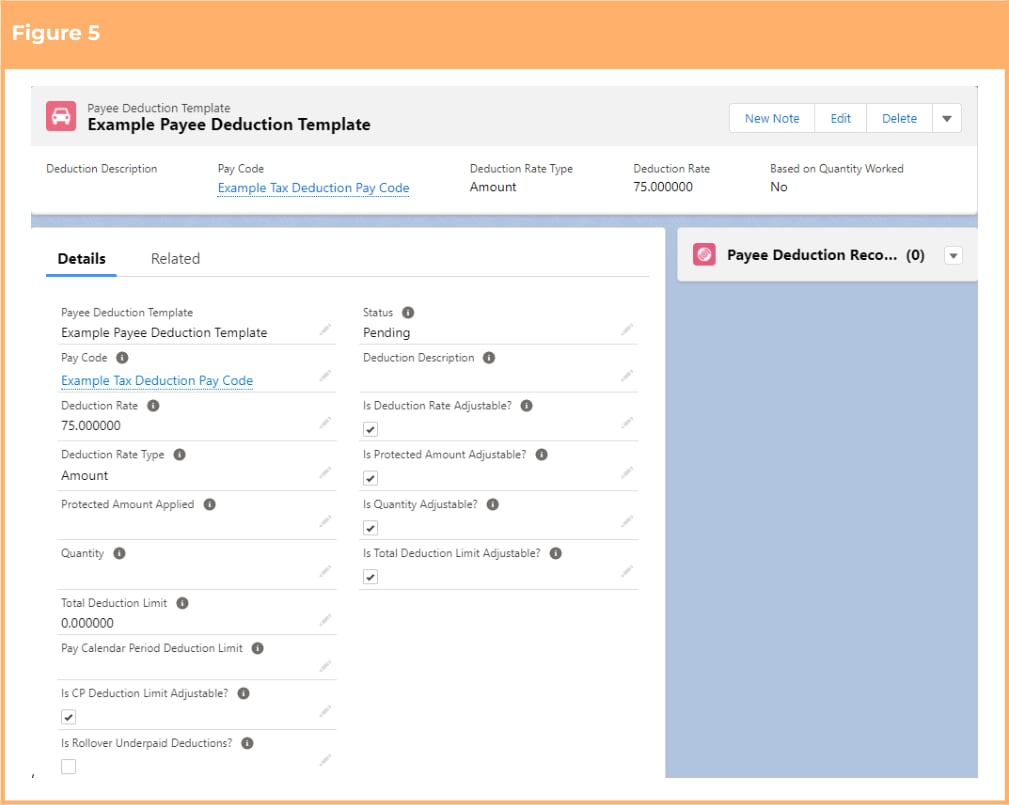
Payee Deduction Templates CAN NOT be deleted if they have related records or are
used in other records. Deleting records is not recommended unless absolutely essential.
- To modify an existing Payee Deduction Template, open the required record and select the Edit button available on the top right side of the page. You can also double click within fields that need editing or just click on the pencil icon that appears within fields when hovering with your cursor.
- When complete, click on the Save button.
Any changes made to the Payee Deduction Templates will not update Deduction
records already referencing the Deduction Template.
Field Descriptions
Based on Quantity Worked indicates whether the Deduction considers the quantity of units worked per Payee Pay Batch in the calculation of the Deduction Pay Transaction. Deduction Rate defines the rate that will be used when calculating the Deduction Amount during the creation of the Deduction Pay Transactions. Deduction Rate Type defines if the value outlined in the Deduction Rate field should be treated as a fixed amount or as a percentage of the Payee’s earnings:- Amount is the fixed amount to be deducted from the Payees earnings for the pay period.
-
Deductions Units x Deduction Rate enables Units x Rate deductions applied if required.
- Percentage of Gross is the amount to be deducted as a percentage of the Payees Gross earnings for the pay period.
- Percentage of OTE is the amount to be deducted as a percentage of the Payees Ordinary Time Earnings (OTE) for the pay period.
- Percentage of SGC Refund is the amount to be deducted as a percentage of the Payees Superannuation Guarantee Contributions (SGC) refund for the pay period.
- Rate per Quantity Worked details a flat rate per Quantity Worked to be deducted for the pay period.
- Percentage of Taxable Gross is the amount to be deducted as a percentage of the Payee’s Taxable Gross Earnings for the pay period.