

Purpose
The purpose of this quick reference guide is to step through the process of updating data to be ready to commence reporting via Single Touch Payroll Phase 2. The intended audience for this document is System Administrators/Standard Users.Steps
Review and Update Pay Codes
To review and update Pay Codes, follow the steps below:-
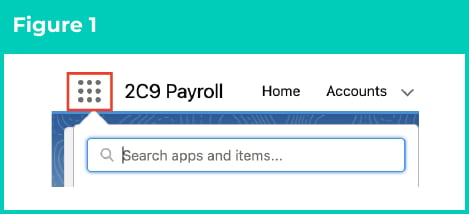
Click on the App Launcher icon. (See Figure 1)
-
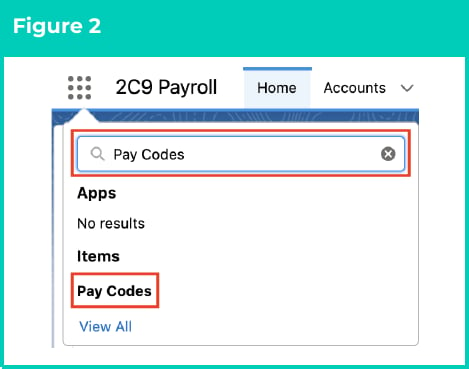
Go to the Pay Codes object by using the Search function. (See Figure 2)
-
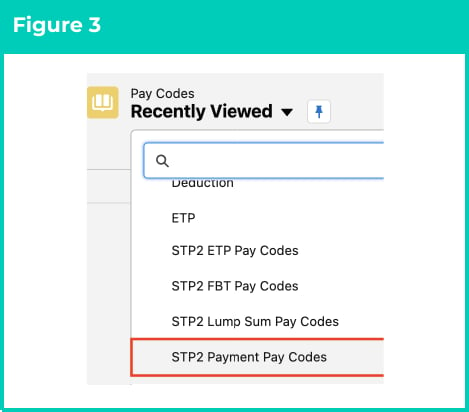
Select the List View STP2 Payment Pay Codes. (See Figure 3)
-
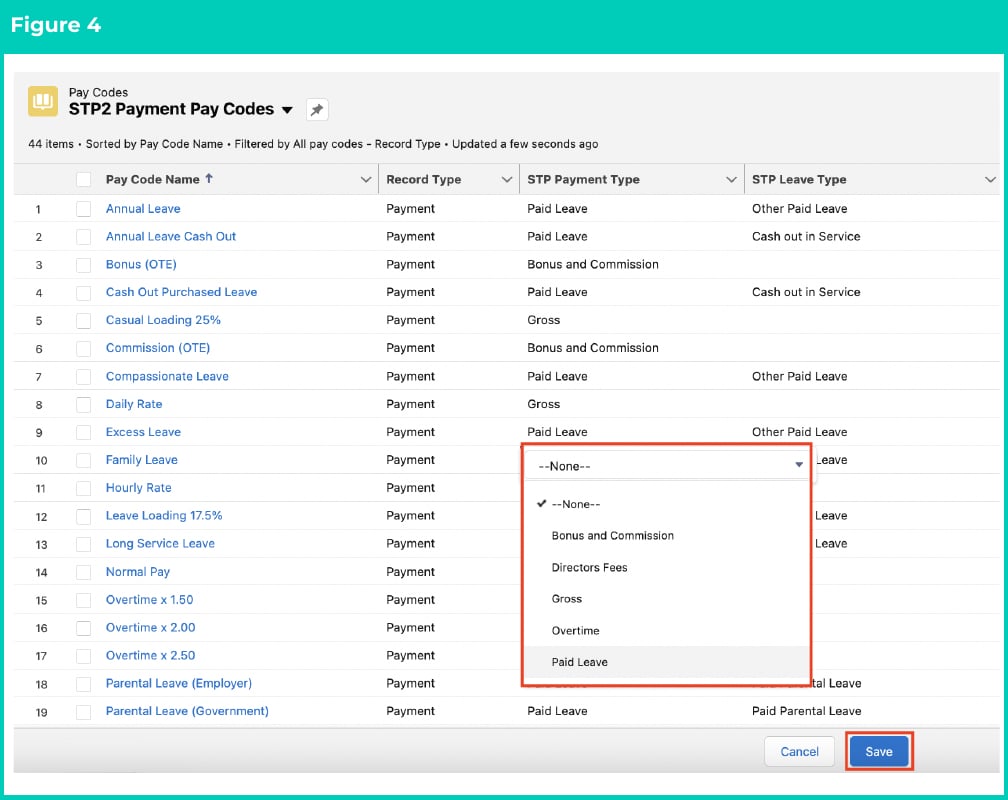
Populate the required field STP Payment Type on the List View with one of the following values to provide the STP2 required information (See Figure 4):
- Bonus and Commission
- Directors Fees
- Gross
- Overtime
- Paid Leave
-
Populate the optional field STP Leave Type with one of the following values, if STP Payment Type is Paid Leave (See Figure 4):
- Ancillary or Defence Leave
- Cash out in Service
- Paid Parental Leave
- Other Paid Leave
- Workers Compensation
- Unused Leave on Termination
-
Select Save to ensure all updates are saved. (See Figure 4)
-
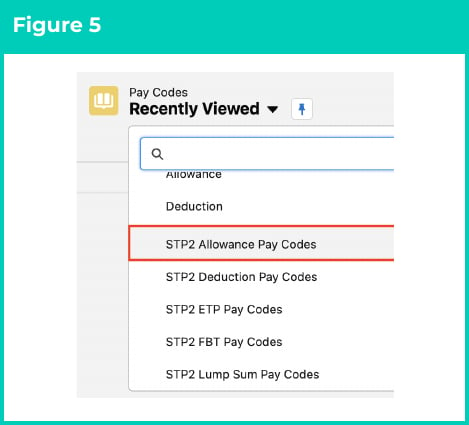
Select the List View STP2 Allowance Pay Codes. (See Figure 5)
-
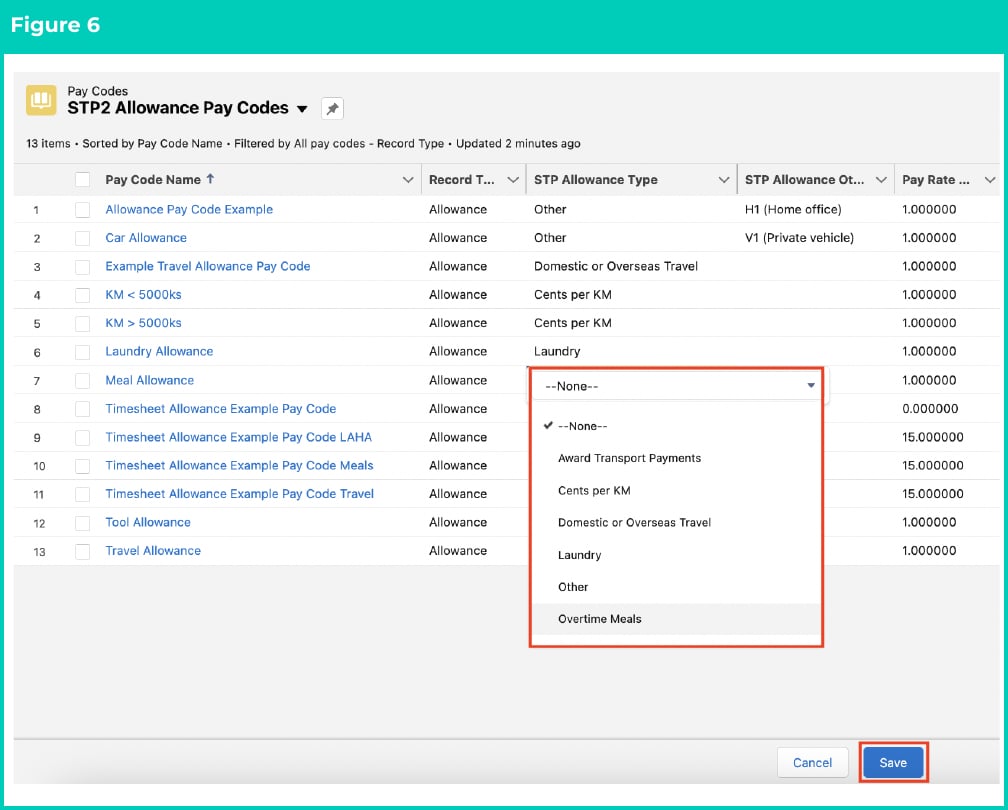
Populate the required field STP Allowance Type on the List View with one of the following values to provide the STP2 required information (See Figure 6):
- Award Transport Payments
- Cents per KM
- Domestic or Overseas Travel
- Laundry
- Overtime Meals
- Qualifications/Certificates
- Tasks
- Tools
- Other
- Gross
- Not Applicable
- Overtime
- Populate the optional field STP Allowance Other Description if STP Allowance Type was Other (See Figure 6). The values to use here must adhere to the codes as specified by the ATO, and can be located by going to either of these 2 links to the ATO website:
-
Select Save to ensure all updates are saved. (See Figure 6)
-
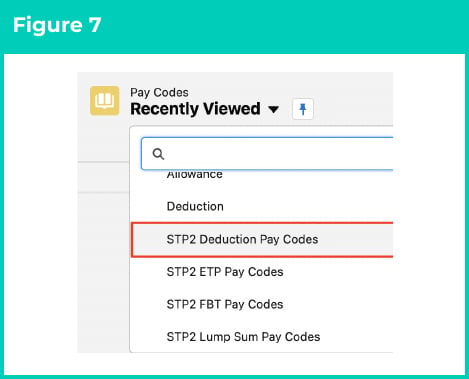
Select the List View STP2 Deduction Pay Codes. (See Figure 7)
-
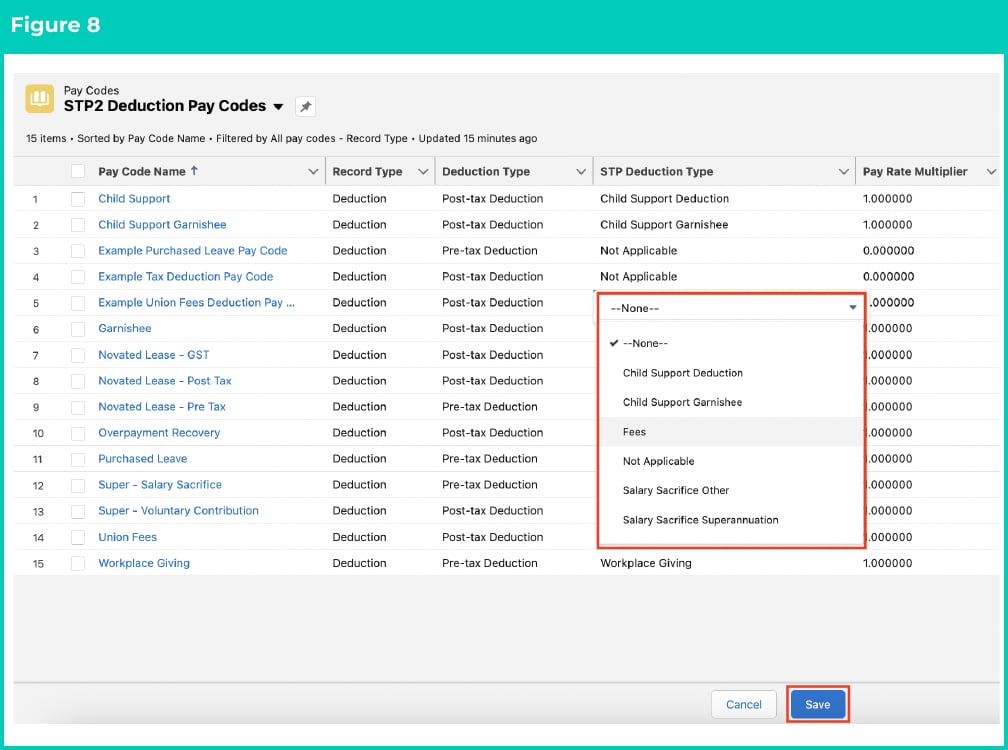
Populate the required field STP Deduction Type on the List View with one of the following values to provide the STP Phase 2 required information (See Figure 8):
- Child Support Deduction
- Child Support Garnishee
- Fees
- Not Applicable
- Salary Sacrifice Other
- Salary Sacrifice Superannuation
- Workplace Giving
-
Select Save to ensure all updates are saved. (See Figure 8)
-
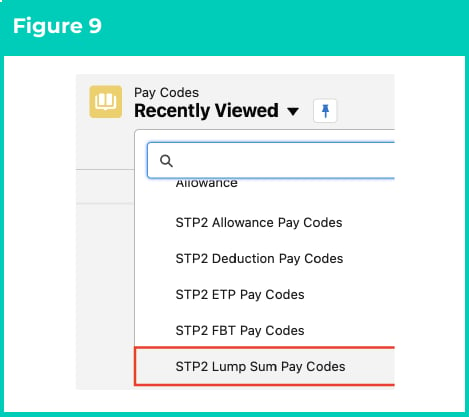
Select the List View STP2 Lump Sum Pay Codes. (See Figure 9)
- Review the List View to confirm all Pay Codes have the required information populated (See Figure 10):
-
Select Save to ensure all updates are saved (See Figure 10).

-
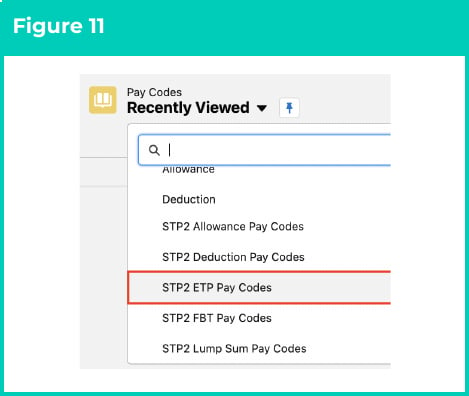
Select the List View STP2 ETP Pay Codes. (See Figure 11)
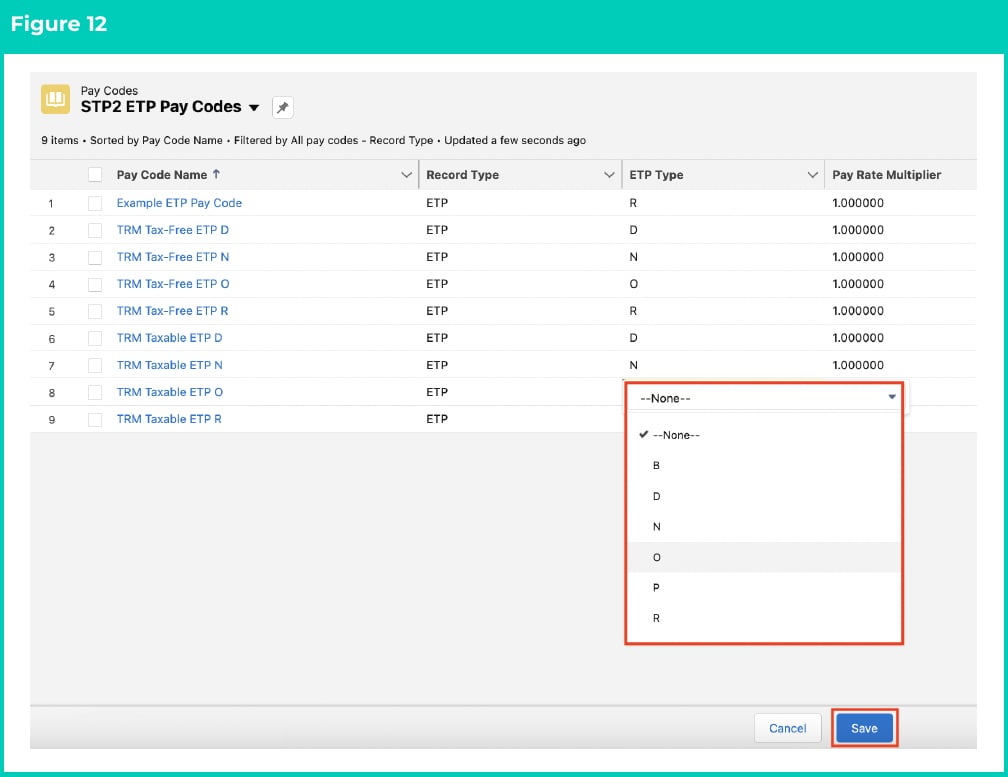
- Review the List View to confirm all Pay Codes have the correct ETP Type populated for that Pay Code, and if any are missing or are incorrect, please update them as required. (See Figure 12)
-
If any changes are made, select Save to ensure all updates are saved. (See Figure 12)
-
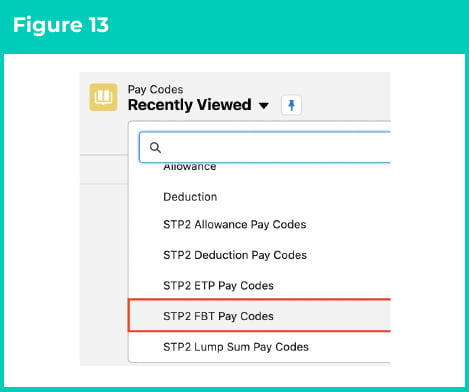
Select the List View STP2 FBT Pay Codes. (See Figure 13)
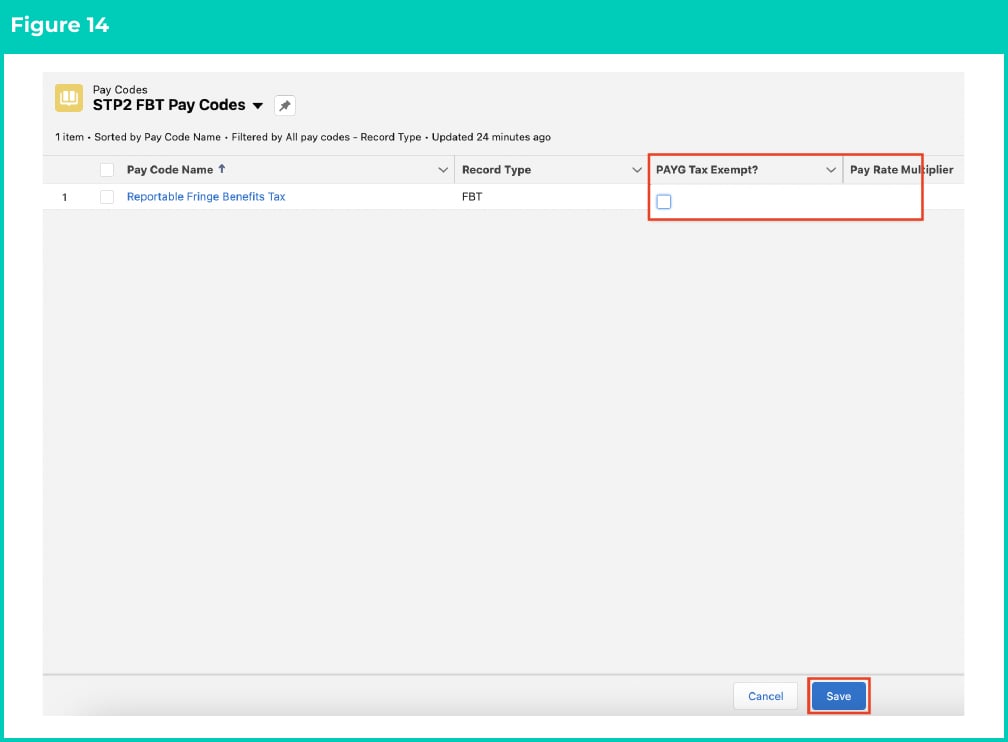
- Review the List View to confirm all Pay Codes have the correct PAYG Tax Exempt? Treatment. Any Pay Codes that have PAYG Tax Exempt? ticked will be reported to the ATO as Exempt from FBT. (See Figure 14)
-
If any changes are made, select Save to ensure all updates are saved. (See Figure 14)
Field descriptions
STP Allowance Other Description defines what description will be reported in STP when the STP Allowance Type is Other.STP Allowance Type defines how this Allowance Pay Code will be reported in STP Phase 2.
STP Deduction Type defines how this Deduction Pay Code will be reported in STP Phase 2.
STP Leave Type defines how this Pay Code will be reported in STP Phase 2 when it is a Paid Leave Type.
STP Payment Type defines how a Pay Code with record type = Payment will be disaggregated in STP Phase 2 reporting.